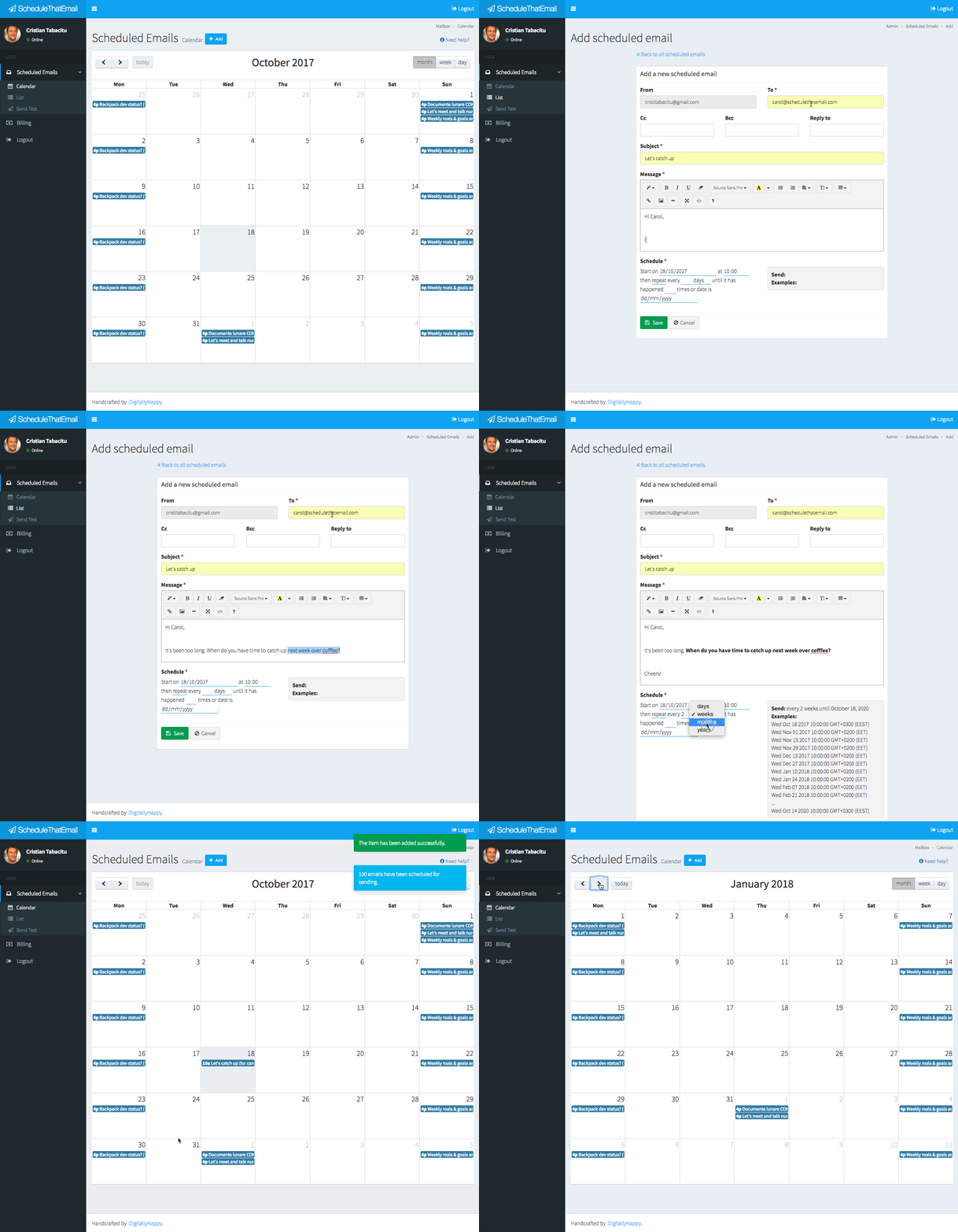
How it works
Step 1. Create a scheduled email.
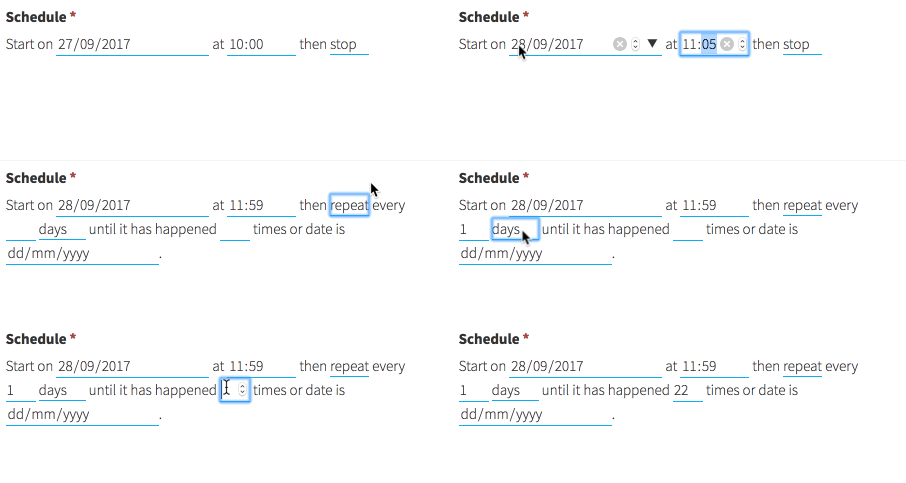
Compose your email like you normally would (subject, body, to, cc, bcc etc.). Then choose when to send it and how often to repeat it.
Step 2. Relax. We're on it.
We'll send the email from your address, when it's due. Because we use your GMail account, nobody will ever know it was sent automatically. And since all replies arrive in your inbox, you never need to visit us again, unless you want to cancel an email or create a new one.
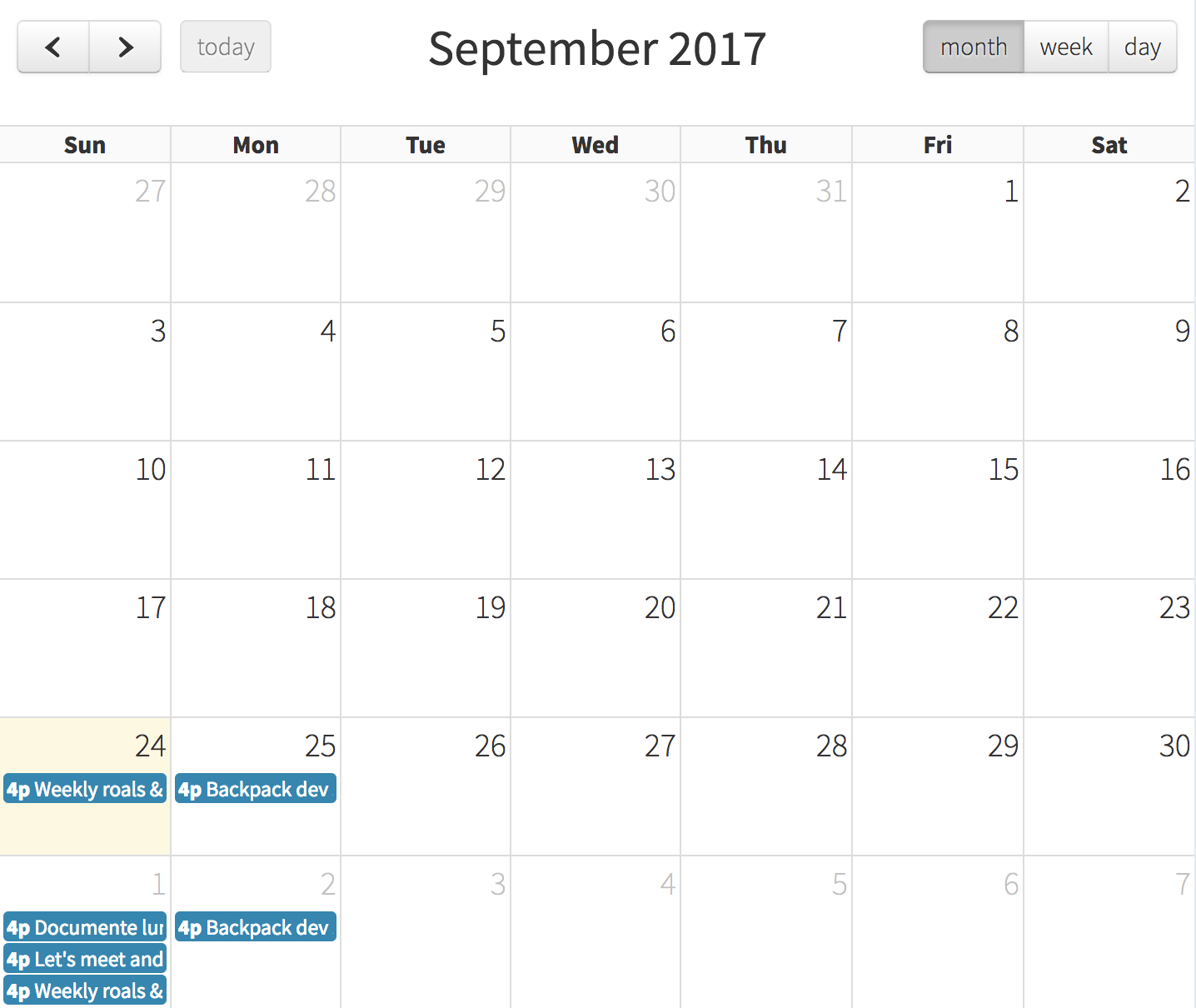
Of course, you can see all your scheduled emails (past, present and future) in your account.
Examples
Get status updates
From: [email protected]
To: [email protected]
Subject: How's Project X going?
Hi John,
Just catching up on Project X. Are we on track? Any challenges? Do you need my help?
Cheers!
Login to use example
Check or assign tasks
From: [email protected]
To: [email protected]
Subject: Accounting documents
Hi George,
Have you sent last months' documents to accounting?
Thanks!
Login to use example
Schedule catch-ups
From: [email protected]
To: [email protected]
Subject: Catch-up over coffee?
Hi Aaron,
Long time no see. Are you available for a coffee next week?
Cheers!
Login to use example
Get referrals from old clients
From: [email protected]
To: [email protected]
Subject: Who do you know?
Hi Adele,
Just catching up - how's business? Things here have been going very well - we keep growing every year, and we're always looking for new projects.
Who do you know that could use our services?
Cheers!
Login to use example
Remind yourself to do things
From: [email protected]
To: [email protected]
Subject: Invest $100 in Bitcoin
Dear me,
I know you use your inbox as a to-do list so here you go. You said you'd invest $100 every week in Bitcoin, to dollar-cost-average it. Please do it now.
Thanks for making me rich ;-)
Yours truly,
You
Login to use example
Send emails to your future self
From: [email protected]
To: [email protected]
Subject: Are you on track?
Dear me,
It's been 1 year since my last check-up. Are you still setting and following your weekly and monthly goals? Are you still working out? Did you remember to also live your life? If any og the above are no, please fix it now. Come on man, you can do it!
Yours truly,
You
Login to use example
Testimonials
Join thousands of productive people, from all over the world.
In the first week I've used it I've gotten two new leads. Just by scheduling the "who do you know" email. I never ever followed up with my clients. Now I do every 6 months, automatically. Thank you.
Andrew
Founder & CEOStaying in touch with close ones has been challenging for me. I always seem to think some work thing is more urgent. But now my automated self is sending the emails to schedule meetings with them. So I meet the people I love, every month.
Janice
DeveloperLove ScheduleThatEmail. Makes me look like the ultimate productivity machine to my employees. Would love having team accounts though.
Franz
ManagerSave time and headspace
Our paid users save more than 8 hours/month by delegating recurring emails to our service. What would you do with that extra time and headspace? How much is 8 hours/month worth to you?
Free
free
Forever!
5 daily scheduled emails3 addresses in to/cc/bcc
no email signature
email footer includes our branding
No credit card required.
Professional
4.99 (60% discount)
€ 1.99
Per month
50 daily scheduled emails10 addresses in to/cc/bcc
emails automatically use your Gmail signature
no mention of ScheduleThatEmail in footer
2 months free if paid yearly.
Addict
14.99 (33% discount)
€ 9.99
Per month
500 daily scheduled emails50 addresses in to/cc/bcc
emails automatically use your Gmail signature
no mention of ScheduleThatEmail in footer
2 months free if paid yearly.
Frequently Asked Questions
Drop us an email if you couldn't find an answer to your question.
Can you read my emails?
No. You'll notice when you sign up that we only ask for permission to send emails on your behalf and access your contacts. No ScheduleThatEmail employee or system can read emails you don't send through ScheduleThatEmail. Not for marketing, not for improving our services and not for fun. We cannot and will not read your emails.
Why do you need access to my contacts?
To make it easy for you to choose TO, CC and BCC email addresses from your Google contacts. Otherwise you'd have to manually type them, and who likes that?
How will I know an email was sent?
We don't send a confirmation email every time. If we did, our hard-core users would be innundated by our emails. But there's a simple trick - include yourself in BCC and you'll receive the email too. This is particularly useful when you want to make sure someone answers your automatic email.
Do you share or sell my data?
Never. That's why we're a paid service.
Can I cancel my subscription?
You can cancel your subscription at any time. Cancelling your plan comes into effect the following month.
Can I get refund?
Unfortunately, not at this time. Please try our free plan for a while to make sure ScheduleThatEmail is what you want.
What if I want to change plans?
It's quick and easy to switch between our different pricing plans from the billing section.
How long are your contracts?
Monthly or yearly (with 2 months discount). You can upgrade, downgrade or cancel your subscription at any time with no further obligation.
Other questions?
We're always available at [email protected].